
Imagine walking into your home and the lights turn on, the thermostat adjusts to your preferred temperature, and your favorite playlist starts playing—all without lifting a finger. This isn't a scene from a sci-fi movie; it's the reality of a smart home. But many people assume that building a smart home costs a fortune. The truth is, with a bit of planning and smart shopping, you can create a fully automated home for under $500. In this guide, I'll show you exactly how to build a smart home on a budget, with specific devices, setup tricks, and money-saving hacks.
Start with a Smart Hub or Voice Assistant
The heart of any smart home is a hub or voice assistant that ties everything together. While you can buy expensive hubs like Samsung SmartThings, you don't need to. The most affordable option is a smart speaker with a built-in assistant—like the Amazon Echo Dot or Google Nest Mini—which often goes on sale for around $20–$30. These devices let you control lights, plugs, and thermostats with voice commands and can serve as your primary hub for most basic smart home devices.
If you prefer a hub-free setup, many Wi-Fi devices work directly with your phone via their own apps. However, having a central hub makes automation smoother. For example, you can create routines like "Good Night" that turn off all lights, lock the door, and set the thermostat—all triggered by a single command. Stick with one ecosystem (Alexa or Google) to avoid compatibility headaches.
Smart Lighting: The Easiest and Cheapest Upgrade
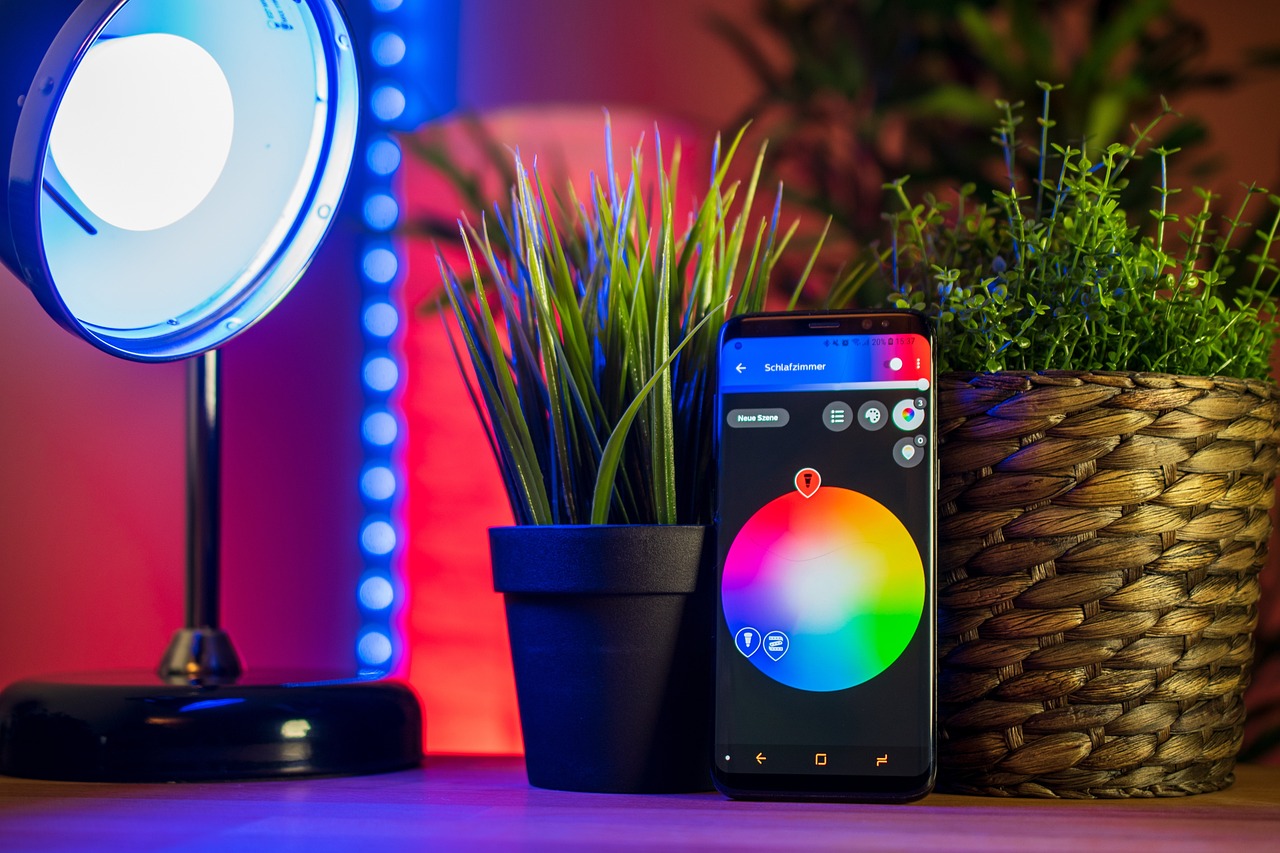
Smart lighting is the most affordable way to start your smart home journey. Instead of replacing all your bulbs, begin with smart plugs or smart bulbs for the rooms you use most. A smart plug costs as little as $8–$10 and turns any dumb lamp into a smart light. You can schedule it to turn on at sunset or control it with your voice. For overhead lights, replace the bulbs with smart bulbs from brands like Wyze or Sengled, which cost around $15–$20 each.
Here are some money-saving tips for smart lighting:
- Buy multipacks: A 4-pack of Wyze bulbs is often under $40.
- Use smart plugs for lamps rather than replacing all fixtures.
- Set up motion sensors to automate lights in hallways and bathrooms.
- Take advantage of sales on Amazon Prime Day or Black Friday.
One of my favorite budget hacks is using a smart plug with a $10 oil diffuser to create an automated aromatherapy routine. It's a small touch that makes your home feel truly intelligent.
Smart Thermostats: Save Money While Automating
A smart thermostat can pay for itself within a year by reducing your energy bills. The Google Nest Thermostat (not the Learning version) and the Amazon Smart Thermostat are both excellent budget options, typically priced around $50–$80. They learn your schedule and adjust the temperature when you're away, saving you up to 15% on heating and cooling costs.
Installation is usually straightforward if you have a common C-wire, but even if you don't, many models come with an adapter or work without one. If you're renting, consider a smart thermostat that can be easily removed and reinstalled. For an even cheaper alternative, use a smart plug for a space heater or window AC unit, though this offers less precision.
"I installed a Google Nest Thermostat last winter and my heating bill dropped by $30 per month. It paid for itself in three months." — Sarah M., verified buyer
DIY Security on a Dime
You don't need a pricey security system to protect your home. A few affordable devices can give you peace of mind without a monthly subscription. Start with a video doorbell like the Wyze Video Doorbell Pro, which costs about $30 and offers 2K resolution, two-way audio, and motion alerts. Pair it with a couple of indoor cameras from Wyze or Blink Mini (around $20–$35 each) to monitor key areas.
For door and window sensors, consider the Aqara Door and Window Sensor (about $15 for a two-pack). These can trigger automations, like turning on lights when a door opens. If you want a full system, the Ring Alarm 5-Piece Kit is often on sale for $100 and includes a base station, keypad, contact sensor, motion detector, and range extender. No subscription required for basic monitoring.
To maximize security on a budget:
- Place cameras at entry points and common areas.
- Use smart bulbs to simulate occupancy when you're away.
- Set up notifications for motion events only (not constant recording).
- Share camera access with trusted neighbors for free monitoring.
Frequently Asked Questions
Can I build a smart home without Wi-Fi?
Most budget smart home devices rely on Wi-Fi, but you can use Zigbee or Z-Wave with a hub like Hubitat or SmartThings for local control. However, Wi-Fi devices are cheaper and easier to set up. If internet goes down, some devices still work locally via voice or app, but advanced automations may fail.
Do I need a monthly subscription for smart home devices?
Not necessarily. Many budget devices offer free basic features, like real-time alerts and manual control. Premium subscriptions (e.g., for cloud recording or advanced automations) are optional. For example, Wyze offers free 12-second clip recording, while Ring requires a subscription for video history. Read the fine print before buying.
What's the most important device to start with?
Start with a smart speaker or display (Echo Dot or Nest Mini) as your hub, then add a few smart plugs or bulbs. This gives you instant convenience and a foundation to expand. From there, prioritize based on your needs: security cameras if you travel often, a thermostat if you want to save energy, or a doorbell for package theft prevention.
Final Thoughts
Building a smart home on a budget is not only possible but also fun and rewarding. You don't need to spend thousands on high-end systems. By focusing on a few key devices—a smart speaker, some plugs or bulbs, a thermostat, and basic security—you can create a home that responds to your needs without draining your wallet. Start small, look for sales, and gradually expand. In a few months, you'll wonder how you ever lived without it.

Comments (0)
No comments yet. Be the first to comment!