


Let’s be honest: you’re reading this on your phone, probably in bed, probably at a time when you should be winding down. I’ve been there. The glow of the screen, the endless scroll, the “just one more video” that turns into 45 minutes. And yet, we’re told to just put the damn thing away. But if you’re like me, your phone is your alarm clock, your meditation app, your white noise machine, and your connection to the people you love. So instead of pretending we’ll all become monks who charge our phones in the kitchen, let’s talk about how to make your phone work with your sleep, not against it.
The Real Enemy: It’s Not Just Blue Light
We’ve all heard that blue light from screens messes with melatonin, the hormone that regulates sleep. True. But blue light is only part of the story. The bigger issue is cognitive arousal—the state of being mentally stimulated. When you’re scrolling through social media, reading news, or playing a game, your brain is actively processing new information, making decisions, and sometimes feeling FOMO, anger, or excitement. That’s the opposite of winding down.
And then there’s the slot machine effect. Apps are designed to be unpredictable—the next post, the next notification, the next “like” could be the one that gives you a dopamine hit. That anticipation keeps you hooked, and it’s terrible for sleep. So, the first step is to stop demonizing your phone and start understanding what specifically is keeping you up.
“It’s not the device that ruins your sleep; it’s the design of the apps on it. You need to hack the design.”
Set Up a “Wind-Down Mode” That Actually Works
Both iOS and Android have built-in features like Night Shift and Bedtime mode, but most people set them and forget them. Let’s get serious. Here’s my method:
- Schedule it like a meeting. Set your wind-down mode to start 1-2 hours before your target bedtime. Don’t just rely on sunset—that’s not enough. I use an automation that turns on Do Not Disturb and grayscale at 10 PM, no exceptions.
- Go grayscale. This is the single most effective hack. When your screen is in black and white, your brain finds it less stimulating. The colorful icons that grab your attention become dull, and you’ll naturally lose interest in scrolling. I did this for a week, and my screen time dropped by 40%.
- Customize your notifications. Go into every app and turn off non-essential notifications. Keep only calls and messages from real people. For everything else, schedule a “notification digest” via the Focus modes or App Notification Summary. This reduces the constant pings that keep your brain on edge.
These steps work because they attack the root causes: visual stimulation and interruptive alerts. They’re not about willpower—they’re about design. You’re making your phone less interesting, and that’s a good thing.
Replace Scrolling with Sleep-Positive Activities
If you’re in the habit of scrolling before bed, you need a replacement activity that satisfies the same urge—to do something with your hands and eyes—but in a way that promotes relaxation. Here are some ideas that have worked for me and others I’ve coached:
- Listen to a sleep story or podcast with a timer. Apps like Calm or Spotify have stories designed for adults, and they’re surprisingly effective. The key is to keep your eyes closed and just listen.
- Do a body scan meditation. There are plenty of guided ones on YouTube or apps. You can even set a timer and do it yourself: start at your toes and slowly move your attention up your body, relaxing each part.
- Read an actual book—yes, on your phone. Use a Kindle app with a dark background and adjust the brightness to the lowest setting. It’s less stimulating than social media because it’s linear and doesn’t have notifications.
- Write a journal. Use a notes app to brain-dump any worries or to-dos. Getting them out of your head and onto “paper” can reduce anxiety and help you let go.
The goal is to shift from passive consumption to active, calming engagement. You still get that sense of doing something, but you’re not feeding your brain with fresh, dopamine-inducing content.
Use Your Phone to Improve Your Sleep Environment
Your phone can be a sleep aid if you let it. Here are three ways to turn it into an ally:
- White noise or nature sounds. There are apps that play rain, ocean waves, or brown noise. I use a free one called “Rain Rain” that has a sleep timer. It not only masks street noise but also gives your brain a rhythmic, soothing input.
- Sleep tracking. Wearables like the Apple Watch or Oura Ring are great, but you can also use the built-in sleep tracking on your phone. It’s not as accurate, but it can reveal patterns. For example, I discovered I was waking up at 3 AM every night because I was drinking tea too late. The data helped me change my habits.
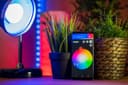
- Smart lighting. If you have smart bulbs, set them to gradually dim and change to warm tones as your wind-down time approaches. This mimics sunset and tells your body it’s time to sleep. I have a routine that starts at 9:30 PM, and it works.
These tools work best when they’re part of a consistent routine. Your phone becomes the conductor of your sleep symphony, not the noisy instrument that keeps you awake.
Set Boundaries That Stick
Even with all these tweaks, you’ll sometimes slip up. That’s okay. The key is to create friction that makes it harder to use your phone in bed. Here’s what I recommend:
- Keep your phone across the room. Yes, even if you use it as an alarm. You’ll have to get out of bed to turn it off, which is a small price for better sleep. I bought a cheap alarm clock and moved my phone to a shelf across the room. It’s made a huge difference.
- Use a charging dock outside the bedroom. If you’re really serious, charge your phone in the kitchen. You can still use it during the day, but at night, it’s out of reach. This forces you to find other wind-down activities.
- Set a “no phone after” rule for yourself. Start with just 30 minutes before bed. Use an app like “Forest” to gamify it—you grow a virtual tree when you don’t use your phone. It’s a little cheesy, but it works.
These boundaries aren’t about deprivation; they’re about giving yourself the chance to fall asleep naturally. You’ll be surprised how quickly you adapt to not having your phone in reach.
Remember, the goal isn’t to become a Luddite. It’s to reclaim your sleep. Your phone is a tool, and like any tool, it can be used for good or ill. With a few adjustments, you can have your phone and sleep well too.
Frequently Asked Questions
Does Night Shift or blue light filter really help sleep?
Yes, but it’s not a silver bullet. Reducing blue light helps your body produce melatonin, but if you’re still reading emotionally charged emails or arguments on Twitter, the mental stimulation will keep you up. Use blue light filters as one piece of a larger wind-down strategy.
What if I need my phone for work emergencies at night?
You can use the “Emergency Bypass” feature on iPhone or “Priority Interruptions” on Android to allow calls from specific contacts—like your boss or family—while silencing everything else. That way, you’re available for real emergencies but not for trivial notifications.
Is it okay to listen to podcasts or audiobooks to fall asleep?
Absolutely, as long as you set a sleep timer. The key is to choose content that is interesting but not overly exciting. A soothing mystery or a calm science podcast can work well. Avoid anything that makes you want to stay awake to hear the end—save those for daytime.
Final Thoughts
Your phone isn’t your enemy; it’s just a tool that’s been designed to keep you engaged. By taking control of its settings, replacing mindless scrolling with intentional activities, and setting physical boundaries, you can transform your phone into a sleep aid. Start with one change tonight—maybe just turn on grayscale or put your phone across the room. Small steps lead to big improvements. You’ve got this, and your future well-rested self will thank you.


Comments (0)
No comments yet. Be the first to comment!